If you’re searching for the best DevOps automation tools, you’re usually trying to solve one problem: ship faster without creating chaos. The challenge is that DevOps automation spans several categories, including CI/CD, infrastructure as code, containers, monitoring, testing, security, and project intelligence and lifecycle management. No single tool is best for every team.
The smarter approach is to compare tools based on their strengths, limitations, and best-fit use cases. Some improve pipeline speed, others standardize infrastructure, strengthen observability, improve project visibility, or bring security earlier into delivery. The goal is not to collect more tools. It is to avoid tool sprawl and choose a stack that fits your workflows, scale, and engineering maturity.
In this guide, you’ll find a curated list of DevOps automation tools across categories, along with their strengths, limitations, and ideal use cases—so you can choose the right combination (or platform) based on what your team actually needs today. Let’s get started.
TL;DR (Quick Summary of the Best DevOps Automation Tools):
Umaku: AI-native platform for full lifecycle visibility across code, tickets, and workflows.
Jenkins: Highly customizable CI/CD with a large plugin ecosystem.
GitHub Actions: Native CI/CD automation for GitHub-based workflows.
GitLab CI/CD: All-in-one DevSecOps platform with built-in pipelines and security.
CircleCI: Fast, cloud-based CI/CD for scalable delivery.
Terraform: Industry-standard tool for multi-cloud infrastructure as code.
Pulumi: Developer-friendly IaC using real programming languages.
Ansible: Agentless configuration and automation for infrastructure.
Docker: Containerization platform for consistent application environments.
Kubernetes: Powerful orchestration for scaling containerized applications.
Argo CD: GitOps-based continuous delivery for Kubernetes.
Prometheus: Metrics-based monitoring and alerting for modern systems.
Datadog: Full-stack observability across logs, metrics, and traces.
Selenium: Automated browser testing for web applications.
Snyk: Developer-first security tool for vulnerability scanning.
What Are DevOps Automation Tools?
DevOps automation tools replace repetitive manual work across the software delivery lifecycle. Instead of hand-running builds, tests, provisioning, deployments, or alerts, teams use automation to move code from commit to production more reliably.
In practice, that includes CI/CD pipelines, infrastructure as code, configuration management, container orchestration, monitoring, testing, security scanning, and project-level visibility across sprints, tickets, and delivery workflows.
The benefits are straightforward: better consistency, faster releases, fewer human errors, and more reliable systems.
The best results do not come from stacking tools at random. They come from choosing automation that matches your team’s workflow maturity, operational complexity, and platform needs. Here are some of the best DevOps automation tools to consider.
15 Best DevOps Automation Tools
1. Umaku
Umaku
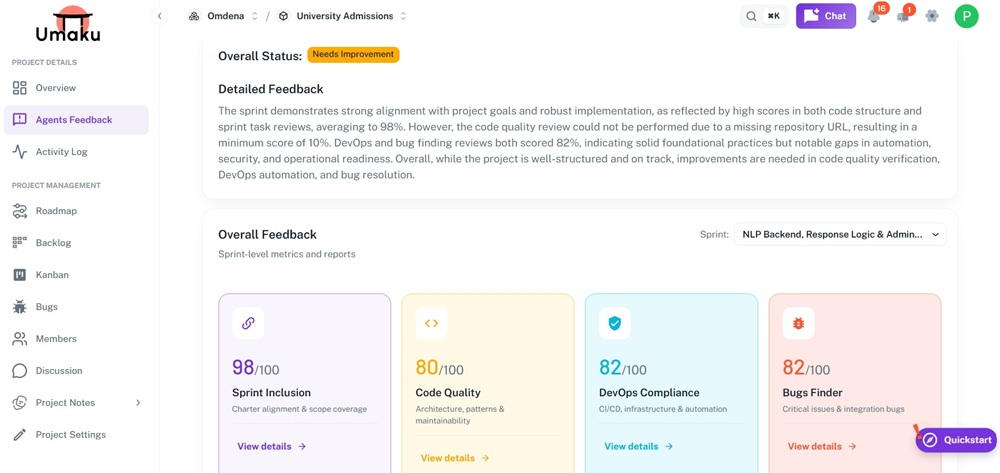
Umaku is an AI-native DevOps and project intelligence platform designed to manage the full lifecycle of modern software—especially AI-driven products. Instead of focusing only on pipelines or infrastructure, Umaku brings together project context, sprint execution, code validation, and governance into one unified system.
What makes Umaku different is its context-first approach. It understands your project charter, tech stack, tickets, and codebase together, allowing its AI agents to perform deeper analysis across delivery workflows, code quality, and business logic alignment.
Unified system combining roadmap, sprints, tickets, and DevOps workflows
Automated sprint reports with insights on quality, risks, and performance
Built-in DevOps compliance and bug detection using AI agents
Real-time project intelligence through AI chatbot and agent feedback
Limitations:
Newer platform compared to established DevOps tools
Best suited for teams working on complex or AI-driven projects
May require onboarding to fully utilize context-based workflows
Best for: Teams building AI or complex software systems that need deeper visibility across code, workflows, and business logic—not just automation of pipelines.
2. Jenkins
Jenkins
Jenkins is a widely used open-source automation server for CI/CD. It helps teams automate builds, tests, and deployments with highly customizable pipelines. Its biggest strength is flexibility: thousands of plugins support nearly any language, cloud, or workflow.
Strengths:
Highly customizable for complex CI/CD workflows
Large plugin ecosystem
Strong community support
Works across cloud and on-prem environments
Limitations:
Requires ongoing setup and maintenance
Plugin sprawl can create stability issues
Interface feels dated compared with newer tools
Best for: Organizations that want maximum control over CI/CD and can manage a self-hosted automation stack.
3. GitHub Actions
GitHub Actions
GitHub Actions is GitHub’s native workflow automation platform for CI/CD and event-driven tasks. It lets teams define pipelines directly in repository YAML files, keeping automation close to code changes, pull requests, and releases.
Strengths:
Native GitHub integration
Fast setup with reusable workflow templates
Large marketplace of community actions
Good developer experience for small to mid-sized teams
Limitations:
Complex workflows can become hard to debug
Large pipeline estates can get messy
Usage costs can rise with scale
Best for: Software teams already using GitHub that want simple, integrated automation for testing, packaging, and deployment.
4. GitLab CI/CD
GitLab
GitLab CI/CD is the automation layer within GitLab’s broader DevSecOps platform. It combines source control, pipelines, security scanning, and deployment workflows in one environment, reducing the need to stitch together multiple tools.
Strengths:
All-in-one platform for code, CI/CD, and collaboration
Strong built-in pipeline and security features
Good visibility from commit to deployment
Works well in self-managed environments
Limitations:
Can feel heavy for smaller teams
Advanced configurations increase complexity
Some capabilities require higher pricing tiers
Best for: Organizations already committed to GitLab and looking for an integrated, end-to-end delivery platform.
5. CircleCI
CircleCI
CircleCI is a cloud-first CI/CD platform designed for speed and scalable software delivery. It supports automated builds, testing, and deployments with caching, parallelism, and container-native workflows.
Strengths:
Fast build execution and parallel jobs
Clean developer experience
Strong integrations with modern delivery stacks
Minimal infrastructure maintenance
Limitations:
Costs can rise quickly at high usage
Less customizable than self-hosted systems
Advanced workflows still require careful configuration
Best for: Cloud-native teams that need fast pipelines, straightforward setup, and managed CI/CD without owning the underlying infrastructure.
6. Terraform
Terraform
Terraform is one of the most widely adopted infrastructure as code tools for provisioning cloud and on-prem resources. Using declarative configuration files, teams can define infrastructure consistently across providers.
Strengths:
Strong multi-cloud support
Declarative model scales well
Large provider and module ecosystem
Fits naturally into GitOps and CI/CD workflows
Limitations:
State management adds operational complexity
Misconfigurations can affect many resources quickly
Collaboration needs clear governance
Best for: Platform and infrastructure teams that need repeatable, version-controlled infrastructure automation across multiple environments.
7. Pulumi
Pulumi
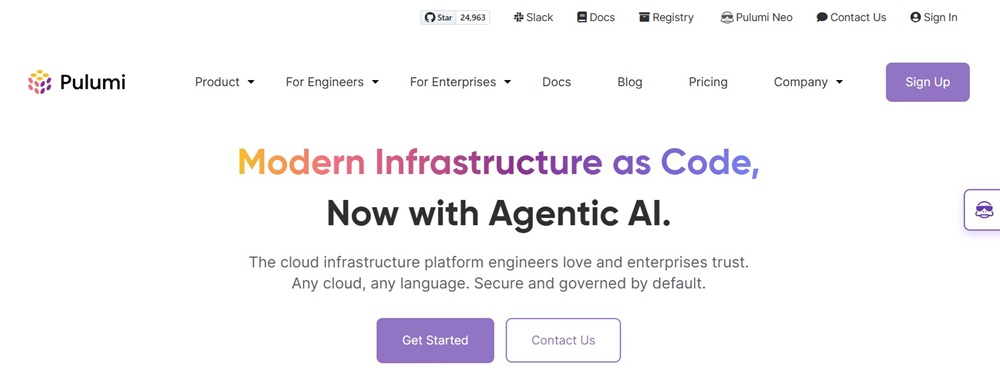
Pulumi is a modern infrastructure as code platform that lets teams define infrastructure using languages like TypeScript, Python, Go, and C#. It is appealing for teams that want infrastructure automation to feel more like software development.
Strengths:
Uses familiar programming languages
Handles complex logic well
Fits naturally into developer workflows and testing
Best for: Development-heavy teams that want infrastructure automation to feel like application development.
8. Ansible
Ansible
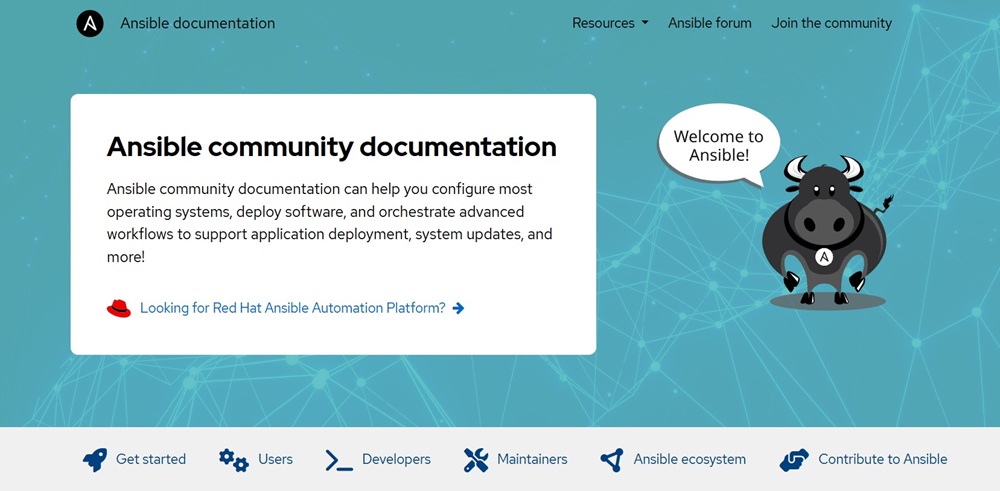
Ansible is an agentless automation tool used for configuration management, provisioning, patching, and operational workflows. Its YAML playbooks are relatively easy to read, making them approachable across teams.
Strengths:
Agentless architecture reduces setup overhead
Human-readable playbooks
Strong for configuration management and orchestration
Works well across cloud, on-prem, and hybrid environments
Limitations:
Less ideal for declarative state management at a very large scale
Complex playbooks can become hard to maintain
Performance can slow in larger environments
Best for: Teams managing server configuration, hybrid estates, and repeatable operational tasks without installing agents.
9. Docker
Docker
Docker is the foundational containerization platform for packaging applications and dependencies into portable, consistent runtime units. It helps teams standardize environments from local development to production.
Strengths:
Improves environmental consistency
Speeds onboarding and packaging
Works well with CI/CD pipelines
Large ecosystem and broad adoption
Limitations:
Not a full automation platform on its own
Requires orchestration and image management at scale
Container security still needs active management
Best for: Teams standardizing application packaging and enabling reproducible deployments across environments.
10. Kubernetes
Kubernetes
Kubernetes is the dominant container orchestration platform for deploying, scaling, and managing containerized applications. It automates service discovery, rollouts, self-healing, and workload scaling.
Strengths:
Powerful orchestration for containerized workloads
Strong scaling and self-healing capabilities
Portable across cloud and on-prem environments
Large ecosystem and vendor support
Limitations:
High operational complexity
Steep learning curve
Requires supporting tools for full platform value
Best for: Teams running containerized workloads at scale that need orchestration, high availability, and automated operational control.
11. Argo CD
Argo CD
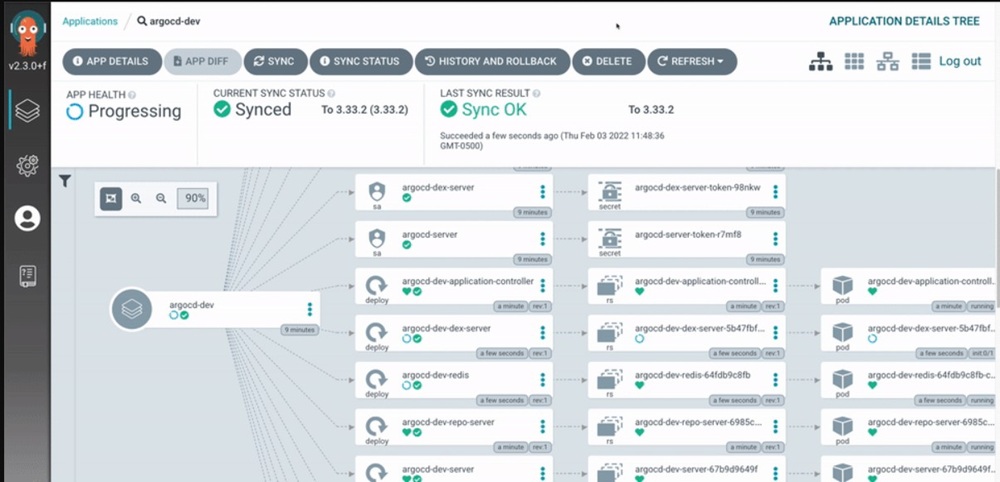
Argo CD is a GitOps continuous delivery tool built for Kubernetes. It continuously compares the cluster state with the Git-defined desired state and syncs differences, giving teams a more auditable deployment model.
Strengths:
Strong GitOps workflow support
Good visibility into deployment drift
Declarative delivery improves consistency
Rollbacks and sync workflows are straightforward
Limitations:
Focused only on Kubernetes
Handles CD, not CI
Requires GitOps discipline and Kubernetes familiarity
Best for: Teams adopting GitOps to manage Kubernetes deployments in a controlled, reliable way.
12. Prometheus
Prometheus
Prometheus is an open-source monitoring and alerting toolkit built for modern, dynamic systems. It collects time-series metrics from infrastructure and applications and is especially common in Kubernetes environments.
Strengths:
Excellent metrics collection and querying
Strong Kubernetes integration
Broad ecosystem of exporters
Flexible alerting with Alertmanager
Limitations:
Focuses on metrics, not full observability alone
Long-term storage often needs extra components
Setup can become complex at scale
Best for: Teams that need metrics-based monitoring, alerting, and performance visibility for distributed systems.
13. Datadog
Datadog
Datadog is a SaaS observability platform that unifies metrics, logs, traces, dashboards, and alerts across infrastructure and applications. It reduces the need to assemble multiple separate monitoring tools.
Strengths:
Broad observability coverage in one platform
Fast deployment and strong SaaS experience
Good correlation across metrics, logs, and traces
Strong support for hybrid and multi-cloud environments
Limitations:
Costs can climb quickly with scale
Feature breadth can feel overwhelming
It complements, not replaces, CI/CD or IaC tools
Best for: Teams prioritizing centralized observability and rapid incident detection.
14. Selenium
Selenium
Selenium is a long-established open-source framework for automating browser-based testing. It helps teams validate web applications across browsers and environments as part of CI/CD quality gates.
Strengths:
Broad browser automation support
Supports multiple languages and frameworks
Integrates well with CI/CD systems
Useful for catching UI regressions
Limitations:
Tests can be brittle when interfaces change
Browser test suites are often slower than unit or API tests
Maintenance overhead can be high
Best for: Organizations that need broad cross-browser web automation in their testing pipelines.
15. Snyk
Snyk
Snyk is a developer-first security automation platform that scans code, open-source dependencies, containers, and infrastructure as code for vulnerabilities. It helps teams surface issues earlier in development.
Strengths:
Covers dependencies, containers, code, and IaC
Integrates well into CI/CD and developer workflows
Helps shift security left
Provides remediation guidance
Limitations:
Pricing can grow with team size and coverage
Focuses on security, not broader delivery automation
Works best as part of a larger DevSecOps stack
Best for: Teams that want automated vulnerability detection woven into everyday development workflows.
Comparing the Best DevOps Automation Tools
Most teams do not need one tool for everything. They need a small, well-integrated stack. This comparison shows where each tool fits best.
Tool
Primary Category
Key Strength
Main Limitation
Best For
Umaku
AI DevOps/Project Intelligence
Context-aware insights across code, tickets, and delivery workflows
Newer platform with an evolving ecosystem
Teams needing end-to-end visibility across development, code quality, and project execution
Jenkins
CI/CD
Extreme flexibility
High maintenance
Custom self-hosted pipelines
GitHub Actions
CI/CD
Native GitHub workflows
Cost/debugging at scale
GitHub-based teams
GitLab CI/CD
CI/CD
All-in-one platform
Advanced config complexity
GitLab-centric orgs
CircleCI
CI/CD
Fast managed pipelines
Usage-based cost growth
Cloud-native delivery
Terraform
IaC
Multi-cloud provisioning
State complexity
Platform engineering
Pulumi
IaC
Uses real languages
Smaller ecosystem
Dev-heavy infra teams
Ansible
Config Automation
Agentless simplicity
Less declarative at scale
Server/config management
Docker
Containers
Consistent packaging
Needs an orchestration layer
App portability
Kubernetes
Orchestration
Scalable self-healing
Operational complexity
Large container platforms
Argo CD
GitOps CD
Drift control
No CI capabilities
Kubernetes GitOps
Prometheus
Monitoring
Strong metrics model
Needs companion tools
Cloud-native monitoring
Datadog
Observability
Unified visibility
Can be expensive
Full-stack observability
Selenium
Testing
Cross-browser automation
Brittle UI tests
Web app QA automation
Snyk
Security
Shift-left scanning
Narrower scope
DevSecOps workflows
The pattern is clear: choose by job-to-be-done first, then by ecosystem fit, operational overhead, and scale requirements.
How to Choose the Right DevOps Automation Tools for Your Workflow
Choose DevOps automation tools based on the part of the pipeline that hurts most today. If releases are slow, start with CI/CD. If environments are inconsistent, start with Terraform or Ansible. If you are scaling containers, Docker plus Kubernetes and Argo CD may be the right path. If outages are the bigger problem, observability tools like Prometheus or Datadog matter more than another deployment tool.
If your problem spans multiple stages, individual tools may not be enough. You need visibility into how code, tickets, and business goals connect. Tools like Umaku help provide that full-picture view across the entire workflow.
A practical stack for many teams looks like this:
One end-to-end project visibility platform
One CI/CD tool
One infrastructure or configuration tool
One container or orchestration layer, if needed
One monitoring platform
One security scanner
The biggest mistake is tool sprawl. More tools rarely mean better automation. Better integration, clearer ownership, and lower maintenance usually produce stronger results.
Build a DevOps Stack That Scales
The best DevOps automation tools are not always the most popular ones. They are the tools that remove friction from your workflow without adding more operational overhead than they save. Some teams need lightweight GitHub-based CI/CD. Others need stronger infrastructure automation, Kubernetes GitOps, and deeper observability. And in some cases, teams benefit from platforms like Umaku that bring visibility across planning, code, and delivery in one place.
The best approach is phased adoption. Start with the bottleneck that wastes the most engineering time, automate it well, then expand into adjacent areas like infrastructure, security, and monitoring. That keeps complexity under control and reduces the risk of tool sprawl.
If you choose based on integration, scalability, and maintenance, your stack will help teams ship faster, reduce failures, and keep systems stable as they grow.
FAQ
What Are The Most Common Types Of DevOps Automation Tools?
The main categories are CI/CD tools, infrastructure as code tools, configuration management tools, container platforms, monitoring tools, testing tools, and security automation tools.
Which DevOps Automation Tool Is Best For Beginners?
GitHub Actions and Ansible are often the easiest starting points. GitHub Actions is simple for GitHub users, while Ansible is approachable for infrastructure and configuration tasks.
Do I Need Both Terraform And Ansible?
Often, yes. Terraform is usually better for provisioning infrastructure, while Ansible is better for configuring systems after they are created.
Is Kubernetes A DevOps Automation Tool?
Yes, but specifically for container orchestration. It automates deployment, scaling, service recovery, and workload management for containerized applications.
How Many DevOps Automation Tools Should A Team Use?
Usually, three to five core tools are enough. A lean, integrated stack is typically more effective than managing many overlapping platforms.
Share this article
Share on LinkedIn, send by email, or copy the direct link.